
At Motsebone Technologies, we provide fast, reliable, and affordable computer repair services for individuals, small businesses, and corporate clients.
Whether your PC won’t start, your laptop is running slow, or you need urgent virus removal, our team of IT experts is ready to help.
A malfunctioning computer can lead to loss of productivity, data, and money. By choosing a reliable IT partner like Motsebone Technologies, you ensure that your systems stay up-to-date, secure, and performing at their best.





Why Choose Motsebone Technologies for Computer Repairs in Midrand?
✔ Experienced Technicians – Skilled in diagnosing and fixing all major computer brands.
✔ Fast Turnaround Time – We understand that downtime costs you money, so we repair quickly.
✔ Affordable Pricing – Transparent pricing with no hidden costs.
✔ On-Site & Remote Support – Repairs done at your premises or via secure online assistance.
✔ Local Experts – Based in Midrand, serving homes and businesses across Gauteng.

Laptop Screen Repairs Midrand
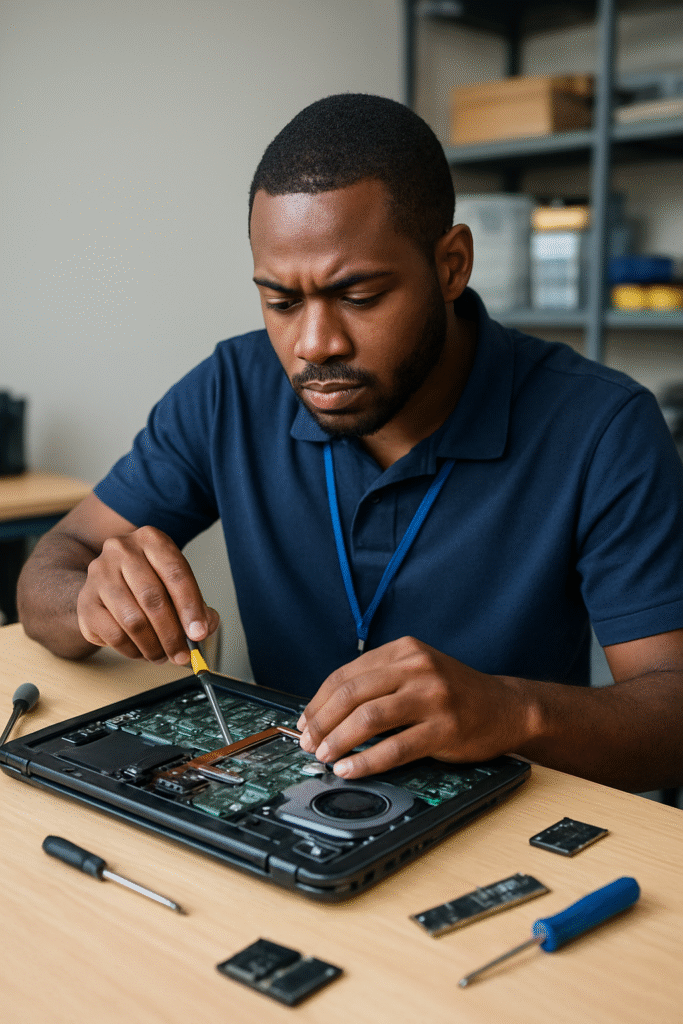
At Motsebone Technologies, we specialize in fast, reliable, and affordable laptop screen repairs in Midrand. Whether your laptop screen is cracked, flickering, showing lines, or completely black, our expert technicians can restore it to perfect working condition.
We understand how important your laptop is for work, studies, and personal use, which is why we offer same-day screen replacement services on most models.
Common Laptop Screen Problems We Fix
Cracked or shattered laptop screens
Flickering or dim displays
Horizontal/vertical lines on the screen
Blank or black screens
Liquid damage affecting the display
Touchscreen laptop screen issues
Ultimate Guide to Computer Repairs in Midrand: Tips, Tricks, and Trusted Services
In today’s fast-paced digital world, a malfunctioning computer can feel like a major roadblock, halting productivity and throwing a wrench in your day. If you’re in Midrand and facing computer troubles, you’re not alone! Whether it’s a stubborn software glitch, a hardware failure, or just a need for routine maintenance, knowing where to turn can make all the difference. This ultimate guide to computer repairs in Midrand is designed to empower you with essential tips and tricks, covering everything from basic troubleshooting to finding trusted local services. Say goodbye to confusion and frustration as we navigate the ins and outs of computer repairs together. With our expert insights, you’ll be ready to tackle any tech issue like a pro, ensuring your devices run smoothly and efficiently. Dive in and discover the best solutions to keep your digital life on track!
Understanding Common Computer Issues
Computers, like any other machines, are prone to various problems that can disrupt their functionality. These issues can range from simple software glitches to complex hardware failures. One of the most common problems users face is a slow computer. This can be caused by numerous factors, including insufficient RAM, a cluttered hard drive, or too many background applications running simultaneously. Identifying the root cause of the slowdown is crucial for effective troubleshooting.
Another prevalent issue is the infamous blue screen of death (BSOD). This error screen typically appears when the operating system encounters a critical problem from which it cannot recover. Causes of BSOD can include hardware failures, driver issues, or corrupt system files. Understanding the specific error codes displayed on the BSOD can provide valuable clues toward diagnosing and fixing the issue.
Connectivity problems are also frequent, particularly issues related to Wi-Fi and internet connections. These can be caused by router malfunctions, outdated network drivers, or interference from other electronic devices. Addressing connectivity issues often involves troubleshooting both the computer and the network hardware to pinpoint the source of the problem.
DIY Troubleshooting Tips for Computer Problems
Before calling in the professionals, there are several DIY troubleshooting steps you can take to address common computer issues. First and foremost, restarting your computer can often resolve minor software glitches and refresh system resources. It's a simple yet effective step that can solve many problems without any technical intervention.
If your computer is running slowly, consider performing a disk cleanup to remove unnecessary files and free up space. You can use built-in tools like Disk Cleanup on Windows or third-party applications such as CCleaner. Additionally, uninstalling unused programs and disabling startup applications can significantly improve performance.
For hardware-related issues, checking physical connections is essential. Ensure that all cables are securely plugged in and that no components are loose. Dust and debris can also cause overheating and connectivity problems, so regularly cleaning your computer's interior with compressed air is a good practice. If you're experiencing connectivity issues, resetting your router and updating your network drivers can often resolve the problem.
When to Seek Professional Computer Repair Services
While DIY troubleshooting can resolve many minor issues, there are times when professional intervention is necessary. If you encounter persistent problems that you cannot diagnose or fix, it's best to seek expert assistance. For example, hardware failures like a malfunctioning hard drive or a broken screen require specialized tools and expertise to repair.
Complex software issues, such as operating system corruption or severe malware infections, are also best handled by professionals. Attempting to fix these problems without proper knowledge can lead to further damage and data loss. Professionals have the experience and tools to safely and effectively resolve these issues, minimizing the risk of additional complications.
Additionally, if your computer is still under warranty, it's advisable to contact the manufacturer or an authorized repair center for assistance. Attempting to repair the device yourself could void the warranty, resulting in higher repair costs in the long run. Professionals can ensure that repairs are conducted in accordance with warranty terms, preserving your device's coverage.
Overview of Trusted Computer Repair Services in Midrand
Midrand boasts a variety of reputable computer repair services that cater to both individuals and businesses. One of the most well-known service providers in the area is PC Fixer, which offers a wide range of repair solutions, including hardware replacement, software troubleshooting, and data recovery. Their team of certified technicians ensures high-quality service and quick turnaround times.
Another trusted name in Midrand is Computer Repair Techs, known for their expertise in handling both desktop and laptop repairs. They provide on-site services, making it convenient for customers who cannot visit their workshop. Their comprehensive diagnostic procedures ensure that all issues are accurately identified and resolved efficiently.
For those looking for specialized services, Midrand IT Solutions is a go-to option. They specialize in network setup and maintenance, making them ideal for businesses that require robust IT infrastructure. Their team of skilled professionals is adept at handling complex networking issues and providing customized solutions to meet specific business needs.
Comparing Costs: DIY vs. Professional Repairs
When faced with computer repairs, one of the key considerations is cost. DIY repairs can be cost-effective if you have the necessary skills and tools. Performing simple tasks like upgrading RAM or replacing a hard drive can save you money on labor costs. However, it's important to weigh the potential risks, as incorrect repairs can lead to further damage and higher costs in the long run.
Professional repairs, on the other hand, come with expert knowledge and specialized tools that ensure the job is done correctly. While the initial cost may be higher, the long-term benefits often outweigh the expense. Professional technicians can provide accurate diagnostics, preventing unnecessary replacements and ensuring that your computer is restored to optimal functionality.
Additionally, professional repair services often come with warranties on parts and labor. This provides peace of mind, knowing that if the problem recurs, it will be addressed at no additional cost. In contrast, DIY repairs do not offer such guarantees, and any mistakes made during the process can be costly to rectify.
Essential Tools for Basic Computer Repairs
Having the right tools is essential for performing basic computer repairs safely and effectively. One of the most important tools is a set of precision screwdrivers. These are necessary for opening computer cases and accessing internal components. A good set should include various sizes and types of screwdrivers to accommodate different screw heads.
Another useful tool is a grounding strap or anti-static wristband. This prevents static electricity from damaging sensitive components while you're working inside the computer. Static discharge can cause irreparable damage to electronic circuits, so using a grounding strap is a simple yet crucial precaution.
For diagnosing hardware issues, a multimeter can be invaluable. This tool allows you to test electrical connections and ensure that components are receiving the correct voltage. Additionally, having a set of spare cables and connectors on hand can be helpful for testing and replacing faulty connections without the need for immediate professional assistance.
Preventative Maintenance Tips for Your Computer
Regular preventative maintenance can significantly extend the lifespan of your computer and reduce the likelihood of unexpected issues. One of the most effective maintenance practices is keeping your operating system and software up to date. Software updates often include security patches and performance improvements that can prevent vulnerabilities and enhance stability.
Another important aspect of maintenance is keeping your computer clean. Dust and debris can accumulate inside the case, leading to overheating and component failure. Regularly cleaning the interior with compressed air can prevent these issues and ensure optimal airflow. Additionally, cleaning the keyboard, mouse, and screen can improve the overall user experience and prevent the buildup of dirt and grime.
Performing regular backups of your data is also a critical maintenance task. Data loss can occur due to hardware failures, malware attacks, or accidental deletions. By regularly backing up your important files to an external drive or cloud storage, you can safeguard your data and ensure that it can be easily restored in the event of a problem.
The Importance of Data Backup Before Repairs
Before undertaking any computer repairs, it's crucial to back up your data. Repairs, especially those involving hardware, can sometimes lead to data loss. By creating a backup, you ensure that your important files, documents, and media are safe and can be restored if anything goes wrong during the repair process.
areas we cover
We provide computer repairs in Midrand and surround areas. the following are some of the areas covered
- Vorna Valley
- Noordwyk
- Country View
- Dainfern
- Fourways
- Halfway House
- Riverside View
- Blue Hils
- Clayville
- Glenferness
- Barbeque Downs
- Centurion
- Sandton
- Lonehill
- Pretoria
- Jukskei View
- Sagewood
- Kyalami
- Randjespark
- Riversands
- Waterfall
- Vorna Valley
- Beaulieu
- Crowthorne AH
- Olifantsfontein
- Hillaway
- Kempton Park
- Edenvale
- Germiston
- Johannesburg
- Summerset
- Steyn City
- Savannah Hills Estate
- Halfway Gardens
- Allendale
- Austin View
- President Park
- Country View
- Glen Austin AH
- Carlswald
- Crescent Wood Country Estate
- Bedfordview
- Randburg
- Benoni
- Roodepoort
Contact Information
Get In Touch
Get in touch with Motsebone Technologies for fast, affordable, and professional computer repair services in Midrand.