
same-day diagnostics, fixed-price quotes, on-site & workshop repairs for HP, Canon, Epson, Richo, Toshiba, Brother.
Call for fast local service."
Need a reliable printer repair service in Midrand? Motsebone Technologies provides fast, professional printer repairs for homes and businesses across Midrand and nearby suburbs. Whether it’s a paper jam, print quality issue, network printing problem, or a machine that won’t power on. Our technicians diagnose and fix the problem quickly.
tRUSTED PRINTER REPAIR CENTRE in Midrand






Same-day diagnostics where possible
Transparent fixed-price quotes
On-site repairs in Midrand
Workshop drop-off for complex jobs
Service for laser & inkjet printers (HP, Canon, Epson, Brother, Samsung, Ricoh)
Genuine spare parts, warranty on repairs, and preventative maintenance tips
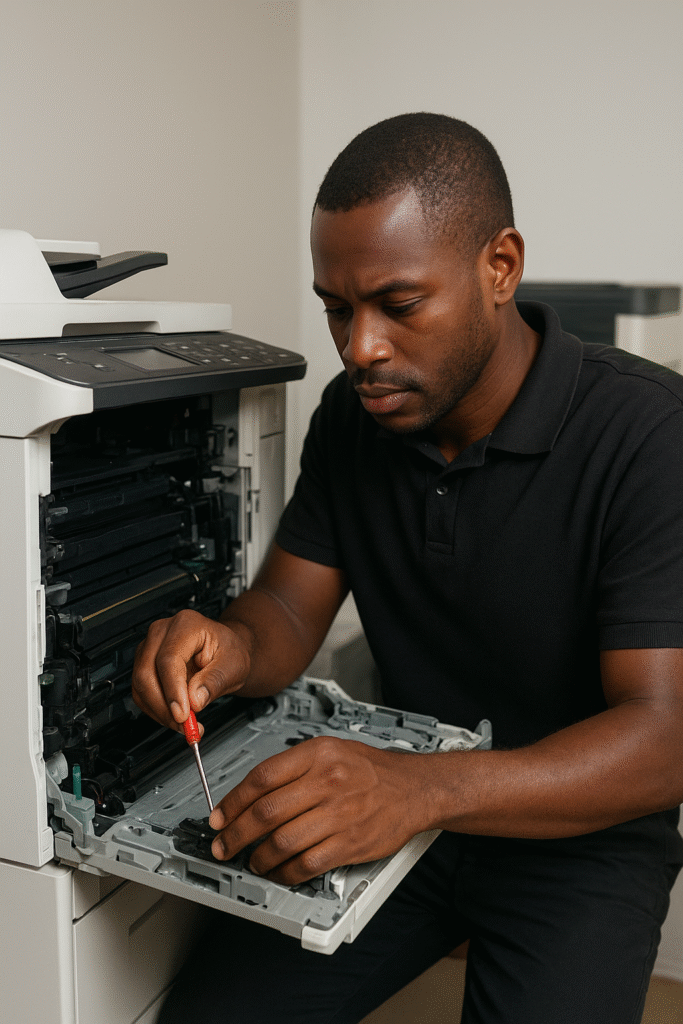
Common printer problems we fix
Printers are essential for both home and business use, but like any other device, they can develop issues over time. Whether you are in an office or at home, a malfunctioning printer can cause delays and frustration. In this guide, we look at the most common printer problems and provide practical solutions to help you get back to printing smoothly.
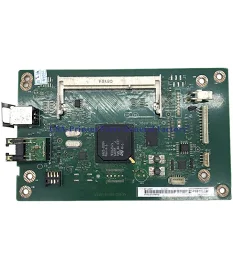
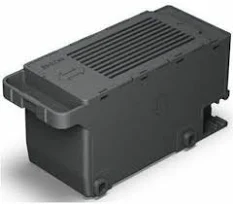
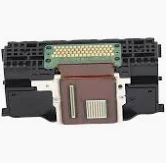
Our PRINTER REPAIRS SERVICES
How our repair process works (simple & transparent)
- Contact us — Call or use the contact form, describe the issue and model.
- On-site visit or drop-off — If needed we schedule a technician visit or arrange workshop drop-off.
- Diagnosis & quote — We give a fixed quote before any repair work.
- Repair & test — We repair, test thoroughly, and show you the results.

Essent Save Time and Money with Expert Printer Repair Tips!
In the bustling town of Midrand, where businesses thrive and creativity flourishes, a reliable printer is essential for keeping the flow of work uninterrupted. However, encountering printer issues can quickly derail your productivity, leading to frustration and wasted time. That's why understanding the ins and outs of printer repairs is vital for every office and home user. In this essential guide, we’ll unveil expert tips and tricks to tackle common printer problems head-on, from pesky paper jams to cartridge issues. Armed with this knowledge, you’ll not only save time but also avoid unnecessary costs, ensuring your printing needs are met efficiently. Whether you're a DIY enthusiast or prefer to call in the experts, our guide has something for everyone. Say goodbye to printer woes and hello to hassle-free printing in Midrand! Let’s dive into the world of printer repairs and unlock the secrets to keeping your devices running smoothly.
Understanding Common Printer Issues
Printers are indispensable in both home and office environments, but they are also prone to a variety of issues that can disrupt productivity. One of the most common problems users encounter is the dreaded paper jam. This can occur due to several reasons such as misaligned paper, debris in the paper path, or worn-out rollers. Paper jams not only halt printing but also risk damaging the internal components of the printer if not addressed promptly. Another frequent issue is the printer not recognizing the ink or toner cartridge. This can be particularly frustrating when you have an urgent document to print. This problem can arise due to incompatible cartridges, improper installation, or dirty contact points between the printer and the cartridge.
Connectivity issues are another prevalent problem, especially in offices where multiple devices are attempting to connect to the same printer. Wireless printers can sometimes lose their connection to the network, or there might be driver conflicts that prevent the printer from communicating with your computer. Additionally, print quality problems such as streaks, smudges, or faded prints can be a sign of dirty print heads, low-quality ink, or issues with the printer's settings.
Understanding these common issues is the first step toward efficient troubleshooting. By familiarizing yourself with the symptoms and potential causes of these problems, you can quickly identify and address them before they escalate. This knowledge not only saves time but also extends the lifespan of your printer by preventing minor issues from turning into major repairs. In the following sections, we'll delve deeper into how to troubleshoot these common problems and when it’s time to call in a professional.
Importance of Timely Printer Repairs
Timely printer repairs are crucial for maintaining the smooth operation of your office or home setup. Delaying repairs can lead to a cascade of issues that disrupt workflows and increase operational costs. For instance, a minor paper jam left unresolved can cause wear and tear on the printer's internal components, leading to more significant and costly repairs down the line. Regular maintenance and prompt attention to issues ensure that your printer remains in optimal working condition, thereby avoiding unexpected breakdowns.
Moreover, a malfunctioning printer can affect the productivity of an entire office. Imagine preparing for an important meeting or presentation, only to find that your printer is not working. The time spent troubleshooting and seeking alternative solutions can lead to missed deadlines and added stress. Keeping your printer in good working order ensures that you have one less thing to worry about in your busy schedule.
Financially, addressing printer issues promptly can save you money in the long run. Small repairs and regular maintenance are generally less expensive than replacing major components or buying a new printer altogether. Additionally, a well-maintained printer consumes ink and toner more efficiently, reducing your overall printing costs. By investing a little time and effort in timely repairs, you can achieve significant savings and ensure that your printing needs are met without interruption.
DIY Troubleshooting Tips for Minor Printer Problems
For those who prefer a hands-on approach, many minor printer issues can be resolved with some basic troubleshooting. One of the simplest yet most effective solutions is to perform a power cycle. Turning off the printer, unplugging it from the power source, waiting for a few minutes, and then plugging it back in can often resolve connectivity issues and minor glitches. This process allows the printer to reset and clear any temporary faults.
For paper jams, the first step is to carefully remove the jammed paper, ensuring that no torn pieces are left inside the printer. It's essential to follow the printer's manual for guidance on how to access the paper path and rollers. Regularly cleaning the paper feed rollers with a lint-free cloth and a small amount of isopropyl alcohol can prevent future jams. Additionally, always use the recommended type and quality of paper to avoid misfeeds.
If you're experiencing print quality issues, such as streaks or faded prints, cleaning the print heads can make a significant difference. Most printers have a built-in maintenance function that allows you to clean the print heads and align the cartridges automatically. Running this maintenance routine periodically can help maintain print quality. Also, ensure that you are using the correct ink or toner cartridges for your printer model, as using incompatible or low-quality cartridges can lead to poor print results and potential damage to the printer.
When to Seek Professional Printer Repair Services
While DIY troubleshooting can resolve many minor printer issues, there are times when professional intervention is necessary. If you find that your printer problems persist despite your best efforts, or if the issue is beyond your technical expertise, it’s time to call in a professional. Complex issues such as hardware malfunctions, electrical problems, or significant internal damage require the skills and knowledge of a trained technician.
One clear sign that you need professional help is recurring issues. If the same problem keeps reappearing even after you've attempted multiple fixes, it indicates that there is an underlying issue that needs expert attention. Professionals can diagnose the root cause of the problem and provide a long-term solution, ensuring that your printer operates smoothly.
Another scenario where professional services are essential is when dealing with warranty claims. Attempting to repair a printer yourself can void the warranty, leaving you responsible for any future repair costs. Professional technicians are authorized to perform repairs under warranty, ensuring that you do not incur additional expenses. Additionally, professionals have access to specialized tools and genuine replacement parts, which are crucial for the longevity and performance of your printer.
Another important factor is the range of services offered. A reputable repair service should be able to handle a variety of printer issues, from basic maintenance to complex repairs. Inquire about their diagnostic procedures and whether they offer on-site repairs. On-site services can be particularly convenient for businesses, as they minimize downtime and allow the technician to diagnose and fix the problem in the actual working environment.
Cost is also a significant consideration when choosing a printer repair service. Obtain quotes from multiple service providers and compare their pricing structures. Be wary of services that offer extremely low prices, as this can indicate subpar quality or hidden fees. It's essential to find a balance between affordability and quality to ensure that you receive the best value for your money. Additionally, ask about warranty on repairs, as this provides peace of mind and assurance that the service provider stands behind their work.
Cost Factors for Printer Repairs in Midrand
The cost of printer repairs in Midrand can vary widely based on several factors. One of the primary determinants is the nature and complexity of the issue. Simple problems, such as paper jams or minor connectivity issues, typically incur lower repair costs. However, more complex issues like hardware failures or extensive internal damage can be more expensive to fix. The cost of replacement parts also plays a significant role in the overall repair cost. Genuine parts tend to be more expensive but offer better performance and longevity compared to generic alternatives.
Labor charges are another significant cost factor. Technicians with specialized skills and extensive experience may charge higher rates, but their expertise often ensures a more accurate and efficient repair process. The location of the repair service can also influence the cost. Services in central or high-demand areas may charge more compared to those in less populated regions. It's essential to consider these factors and obtain detailed quotes to understand the total cost of the repair.
Preventative maintenance plans can also affect repair costs. Investing in regular maintenance can help identify and address potential issues before they become major problems, ultimately reducing the likelihood of costly repairs. Some repair services offer maintenance packages that include regular check-ups and cleaning at a discounted rate. These plans can provide significant savings in the long run and ensure that your printer remains in optimal working condition.
Preventative Maintenance Tips to Extend Printer Lifespan
Regular preventative maintenance is key to extending the lifespan of your printer and ensuring consistent performance. One of the most important maintenance tasks is keeping your printer clean. Dust and debris can accumulate inside the printer and cause various issues, including paper jams and print quality problems. Use a soft, lint-free cloth to wipe down the exterior and interior of the printer regularly. For the interior, you can use compressed air to blow out any dust and debris from hard-to-reach areas.
Another crucial aspect of maintenance is using high-quality consumables. Always use the recommended ink or toner cartridges for your printer model. Low-quality or incompatible cartridges can cause damage to the print heads and other components, leading to costly repairs. Additionally, using the right type of paper is essential. Avoid using paper that is too thick or has a rough texture, as this can cause jams and wear out the paper feed rollers prematurely.
Regularly updating your printer's firmware and drivers is also important for maintaining its performance. Manufacturers often release updates that fix bugs, improve functionality, and enhance compatibility with new operating systems. Keeping your printer's software up to date ensures that it operates smoothly and efficiently. Many printers have an automatic update feature, but you can also check the manufacturer's website for the latest updates.
The most common printer problems include paper jams, connectivity issues, print quality problems, and cartridge recognition errors. These issues can often be resolved with basic troubleshooting, but persistent problems may require professional repair services.
Conclusion: Making Informed Decisions for Your Printer Needs
In conclusion, understanding printer repairs and maintenance is crucial for ensuring the smooth operation of your devices, whether at home or in the office. By familiarizing yourself with common printer issues, you can quickly identify and address minor problems, saving time and money. However, knowing when to seek professional help is equally important. Professional technicians have the expertise and tools to handle complex repairs and provide long-term solutions.
Choosing the right repair service in Midrand involves considering factors such as expertise, range of services, and cost. Investing in regular maintenance and using high-quality consumables can extend the lifespan of your printer and prevent major issues. By making informed decisions and taking a proactive approach to printer care, you can enjoy hassle-free printing and maintain productivity.
We hope this guide has provided valuable insights into printer repairs and maintenance. Whether you're a DIY enthusiast or prefer to call in the experts, the tips and information shared here will help you keep your printers running smoothly. Say goodbye to printer woes and hello to efficient and reliable printing in Midrand!
printer repairs faq
- Can I perform maintenance on my printer myself?
Yes, many maintenance tasks can be performed by the user, such as cleaning the printer, using high-quality consumables, and updating firmware and drivers. Regular maintenance can help extend the lifespan of your printer and prevent major issues.
- How much do printer repairs typically cost?
The cost of printer repairs can vary based on the complexity of the issue, the cost of replacement parts, and labor charges. Simple repairs may cost less, while more complex issues can be more expensive. It's important to obtain detailed quotes from multiple service providers to understand the total cost.
- When should I seek professional repair services?
You should seek professional repair services if you encounter recurring issues, complex hardware problems, or if your printer is under warranty. Professional technicians have the expertise and tools to diagnose and fix a wide range of printer issues.
- When should I seek professional repair services?
You should seek professional repair services if you encounter recurring issues, complex hardware problems, or if your printer is under warranty. Professional technicians have the expertise and tools to diagnose and fix a wide range of printer issues.
- How can I prevent paper jams?
To prevent paper jams, ensure that you are using the correct type and quality of paper for your printer. Regularly clean the paper feed rollers and remove any debris from the paper path. Also, avoid overloading the paper tray and make sure the paper is properly aligned.
- What are the most common printer problems?
The most common printer problems include paper jams, connectivity issues, print quality problems, and cartridge recognition errors. These issues can often be resolved with basic troubleshooting, but persistent problems may require professional repair services.
areas we cover
We provide printer repairs in Midrand and surround areas. the following are some of the areas covered
- Vorna Valley
- Noordwyk
- Country View
- Dainfern
- Fourways
- Halfway House
- Riverside View
- Blue Hils
- Clayville
- Glenferness
- Barbeque Downs
- Centurion
- Sandton
- Lonehill
- Pretoria
- Jukskei View
- Sagewood
- Kyalami
- Randjespark
- Riversands
- Waterfall
- Vorna Valley
- Beaulieu
- Crowthorne AH
- Olifantsfontein
- Hillaway
- Kempton Park
- Edenvale
- Germiston
- Johannesburg
- Summerset
- Steyn City
- Savannah Hills Estate
- Halfway Gardens
- Allendale
- Austin View
- President Park
- Country View
- Glen Austin AH
- Carlswald
- Crescent Wood Country Estate
- Bedfordview
- Randburg
- Benoni
- Roodepoort
Contact Information
Get In Touch
Ready to fix your printer? Contact Motsebone Technologies — Midrand’s printer repair specialists.